 By
By Last updated: October 7, 2026
If you have a trailer sitting unused, listing it on towlos can help turn it into a new income opportunity. Whether you own a utility trailer, dump trailer, enclosed trailer, car hauler, equipment trailer, horse trailer, or another towable trailer, towlos makes it simple to create a listing and start connecting with renters nearby.
If you are ready to list your trailer on towlos, this guide walks through what to include, what details matter most, and how to make your listing stronger before your first rental.
Start by Creating Your Listing
To get started, go to the List Your Trailer page and follow the prompts to create or log in to your towlos account.
The current listing flow asks for the basics first, including:
- Trailer photos
- Trailer type
- Year
- Make
- Short description
- Price per day
- Pickup and return location
- Trailer specifications
Listing is free on the Launch host plan, and hosts can set their own pricing and availability. The listing process is designed to be quick, and towlos notes that it can take less than 5 minutes to get a trailer published.
Add Photos That Help Renters Feel Confident
Photos are one of the most important parts of your trailer listing. The current towlos listing flow requires at least one photo, but three or more photos are better for helping renters understand what they are booking.
Good trailer photos should show:
- Front of the trailer
- Back of the trailer
- Both sides
- Hitch and connector
- Tires and wheels
- Spare tire, if included
- Ramps, gates, or doors
- Interior or deck
- Tie-down points
- Any existing damage or wear
- Any accessories included with the rental
Clear photos can answer questions before renters have to ask. They also help document the trailer’s condition and make your listing look more trustworthy.
Choose the Right Trailer Type
Selecting the right trailer type helps renters find your trailer when they search. Be as accurate as possible so your listing shows up for the right kind of renter.
Common trailer types include:
- Utility trailers
- Dump trailers
- Enclosed trailers
- Car haulers
- Equipment trailers
- Horse trailers
- Boat trailers
- Motorcycle trailers
- Livestock trailers
If your trailer fits more than one use, make sure your listing description explains that clearly. For example, a car hauler may also work well for motorcycles, or a utility trailer may be useful for landscaping, furniture pickups, and weekend projects.
Set Your Price and Location
Next, set your daily rental rate and pickup location. Your pickup address is not shared with renters until you approve the rental, which helps protect your privacy while still allowing renters to search for trailers nearby.
When setting your price, think about:
- Trailer type
- Trailer size
- Weight capacity
- Condition
- Special features
- Local demand
- Similar listings nearby
- Delivery options
- Included accessories
You can always adjust pricing later as you learn what renters in your area are willing to pay.
Add Trailer Specifications
Trailer specifications help renters know if your trailer will work for their tow vehicle and project. Even when some fields are optional, adding details can make your listing much stronger.
Helpful specs include:
- Hitch ball size
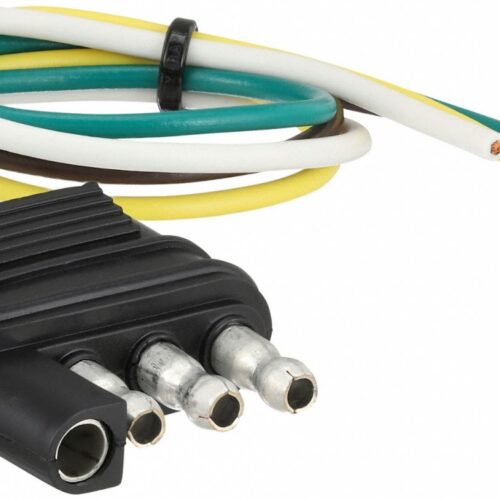
- Wiring connector
- Whether the trailer has brakes
- Whether the trailer has a spare tire
- Empty trailer weight
- Max payload or load capacity
- Trailer value
- Trailer dimensions
- Ramp details
- Tie-down points
These details can reduce back-and-forth messages and help renters arrive prepared.
Make Sure Your Trailer Is Registered and Rental-Ready
Before renting out your trailer, make sure it is properly registered, tagged, and ready for the road. The towlos FAQ notes that all trailers listed on towlos must have valid, up-to-date registration, even in states where trailer registration is not required.
Before publishing or accepting rentals, check:
- Registration and tags
- Tires and spare tire
- Lights and wiring
- Brakes, if applicable
- Safety chains
- Hitch and coupler
- Ramps and gates
- Jack
- Floor or deck
- Any existing damage
- GPS tracker, if needed for Protect+ theft coverage
A clean, safe, and well-documented trailer gives renters more confidence and helps protect your equipment.
Complete Your Host Setup
To save your listing and start hosting, you will need to complete your host account setup. The current flow may ask whether you are hosting as an individual or business, your hosting location, and agreement to the towlos Hosting Terms of Use. It also notes that new hosts are set up with the free Launch host plan.
Make sure your account details are accurate, including your phone number and email, so you do not miss rental requests or important account alerts.
Set Up Payments
towlos uses Stripe for host payouts and payment processing. To receive payouts, your Stripe setup needs to be complete and your bank account information needs to be accurate.
Before your first rental, make sure:
- Your Stripe account is fully set up
- Your identity or business details are verified
- Your bank account information is correct
- There are no incomplete payout steps
Completing this early can help prevent payout delays after your first rental.
Review and Publish Your Listing
Before publishing, review your listing from a renter’s point of view. Ask yourself whether a renter would understand what the trailer is, what it can haul, what they need to bring, and how pickup works.
Before going live, double-check:
- Trailer type
- Price per day
- Pickup location
- Photos
- Trailer specs
- Description
- Availability
- Rules and restrictions
- Included accessories
- Delivery options, if offered
Once your listing is saved and published, renters can find it on the towlos marketplace. towlos also notes that hosts can add more details like availability, weekend pricing, photos, and videos after creating the listing.
Improve Your Listing After It Is Published
Getting published is only the first step. A more complete listing can help you attract more bookings and reduce renter questions.
After your listing is live, consider adding:
- More photos
- A better description
- Availability details
- Weekend or multi-day pricing
- Delivery options
- Clear pickup instructions
- Trailer rules
- Extras or add-ons
- A short video, if available
You can update your listing from Host HQ under My Fleet. The towlos FAQ explains that hosts can use Host HQ and My Fleet to edit listings, update pricing, manage availability, add videos, and adjust publishing settings.
Use Your Listing to Set Clear Expectations
A good listing does more than describe the trailer. It sets expectations before the rental begins.
Use your description to explain:
- What the trailer is best used for
- What renters should not haul
- Whether delivery is available
- Whether straps, tarps, or ramps are included
- Whether the renter needs a brake controller
- Whether the trailer must be returned clean
- Any weight or material restrictions
Clear expectations can help prevent confusion, protect your trailer, and make the rental experience smoother.
Get More Help From towlos
If you have questions while creating or updating your listing, the towlos FAQ page is a helpful place to start. It includes current information about listing a trailer, managing a trailer listing, rental records, payouts, Protect+, guest requirements, and more.
You can also review other towlos host resources, like guides on preparing your trailer, setting rates, and getting rental-ready before your first booking.
List Your Trailer on towlos
Listing your trailer on towlos is a simple way to turn an underused trailer into an income opportunity. Start with clear photos, accurate details, the right trailer type, a fair price, and a clean, rental-ready trailer.
Ready to get started? List your trailer on towlos and create your listing today.